 Letopis
Transcribe and dictate, on your device.
On Mac it records calls and meetings, and the direct download turns what you say into text in any app from a hotkey; on iPhone, in-person conversations and voice notes. Everything is transcribed locally, with speaker labels and timecodes. Nothing leaves the device.
The direct download is a notarized Mac app (.dmg) that updates itself and adds hotkey dictation, the letopis command-line tool, and an MCP server for AI assistants (Claude Code, Claude Desktop). On the App Store, Letopis is one universal app - the same free download runs on Mac and iPhone. Everything is on-device: your Mac and your iPhone each keep their own recordings, with no sync between them. Free for personal use. Requires macOS 26+ on Apple Silicon, or iOS 26+.
Private by design.
Recording, transcription, and speaker diarization run on your device with on-device models. Letopis downloads the models it runs and, in the direct download, its own updates - nothing else leaves or enters.
- No cloud upload of audio or transcripts
- No account and no sign-in
- No analytics or tracking
- Recordings stay in a folder you choose
- Mac and iPhone each keep their own recordings - no sync between devices
- Optional on-device redaction of personal data before you share (best-effort)
See it in action.
Read it back, speaker by speaker.
Every line has a timecode and a speaker. Play the audio alongside, edit, rename speakers, export.
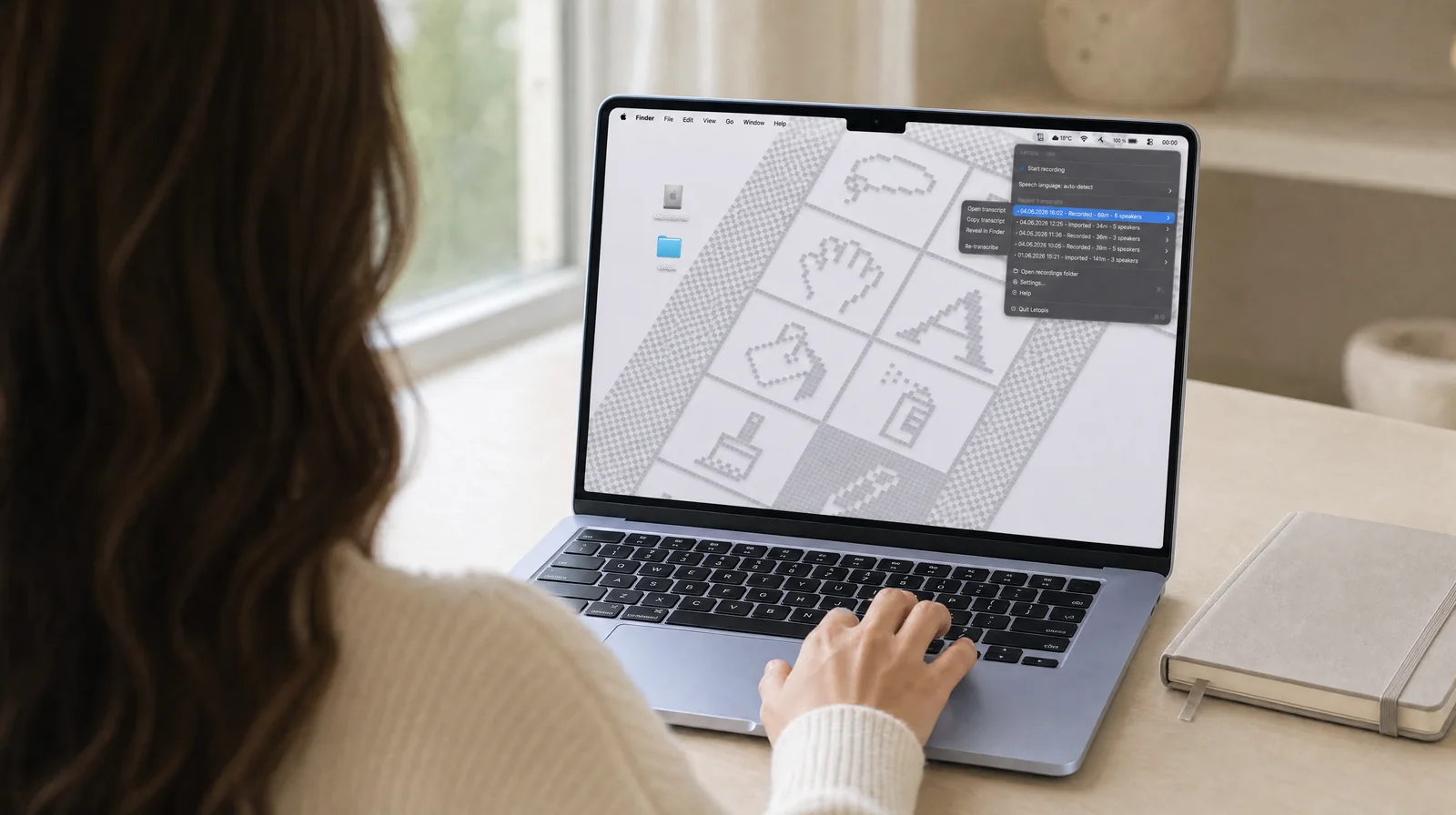
Record from the menu bar.
One click starts the recording. Recent transcripts and import are in the same menu.
Mic and system, two separate tracks.
Pre-roll and an end-of-call watchdog capture the whole call; echo cleanup keeps the other side out of your own lines in the transcript.
Ready from the first launch.
The speech and speaker models are downloaded and prepared once - everything runs on the Mac.
Three engines, on-device.
GigaAM v3 for Russian - faster, with native punctuation; Parakeet for English and 24 more languages; Whisper for any language with auto-detect. Personal data can be redacted before you share, all on the Mac.
Works with Claude.
An MCP server in the direct download lets Claude Code and Claude Desktop read your transcripts. Plus global shortcuts and a recordings folder of your choice.
You pick where files live.
Point Letopis at any folder. Keep it out of iCloud and everything stays on the device.
Name a voice once, and later transcripts carry it for you.
On Mac, rename a speaker in the transcript editor with "Remember this voice" ticked. In the recordings that follow, that person's lines carry the name instead of an unnamed label. The voice prints stay on your Mac, and deleting one in Settings takes it out of the transcripts you already made.
- The tick box sits in the rename-speaker panel, and Settings lists every voice you have remembered
- Fifteen seconds of speech in one recording are enough to remember someone, and one voice gathers up to five samples from different recordings
- The box is live for the speakers Letopis separated - the far side of a call, everyone in an in-person recording - and only in transcripts that stored a voice print
- Recognition needs about eight seconds of that person in the new recording, and when the match is not clear the speaker keeps its unnamed label
- Your own side of a call stays Me and carries no voice print, so it is never remembered
- Voice prints never leave the Mac - this feature has no account and no server
- Delete a remembered voice and its print is erased from every transcript under your library folder, your own subfolders included; copies you exported elsewhere are out of reach
- Both Mac versions have it: the direct download and the Mac App Store
Speak, and the text appears where you were typing.
Hold your shortcut, say a sentence, let go. Letopis transcribes it on your Mac and puts the text where your cursor is. Dictation comes with the direct download (.dmg), and you turn it on in Settings.
- Speak while you hold the key, or press once and dictate until you press again
- One key is enough: right Option, right Command or right Control - or Globe, once macOS is set to leave that key alone. Their left-hand counterparts stay free for your usual shortcuts
- The text goes in at the cursor of the app you started in; if another app is in front when the text is ready, it waits for you in the clipboard
- Your previous clipboard comes back once the paste is confirmed; when it cannot be confirmed, or the app will not take synthetic keystrokes, the dictated text stays in the clipboard
- GigaAM for Russian, Parakeet for English - both run on your Mac, and neither the audio nor the text is saved: dictations never enter your library
- The macOS Accessibility permission is what lets Letopis insert at the cursor, read a single-key hotkey and pause a player; on some Macs the single key needs Input Monitoring too
- Music or video in a known player can pause for the dictation and come back when the microphone closes - switch it on in Settings
- A short sound marks the microphone opening and closing, so you can dictate without watching the screen
Also on iPhone.
The same on-device transcription, in your pocket. Record in-person conversations and voice notes, or import audio and video. Everything stays on the phone - no sync with your Mac.
Record in a tap.
One tap starts it; transcription begins the moment you stop.
Your library, on the phone.
Meetings, voice notes, and imports - each transcribed, with speakers and timecodes.
Search everything.
Find any word across your transcripts - and from iOS system search too.
How it works.
Record
Start recording in one tap - from the Mac menu bar or the iPhone app.
Transcribe
Letopis transcribes locally and labels each speaker.
Read
Open a timecoded Markdown transcript, ready to search and share.
Help and contact.
Questions, bug reports, or feedback are welcome. Write to me and I will get back to you.
feedback@letopisapp.com